
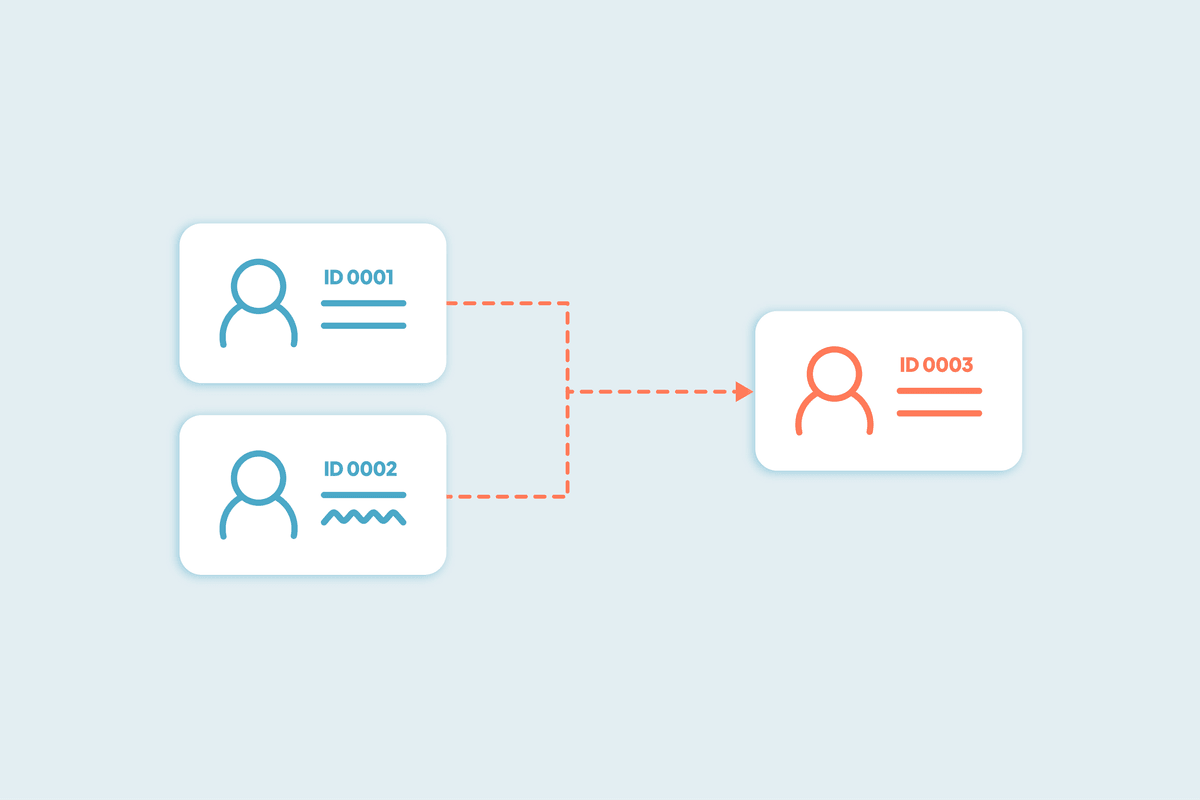


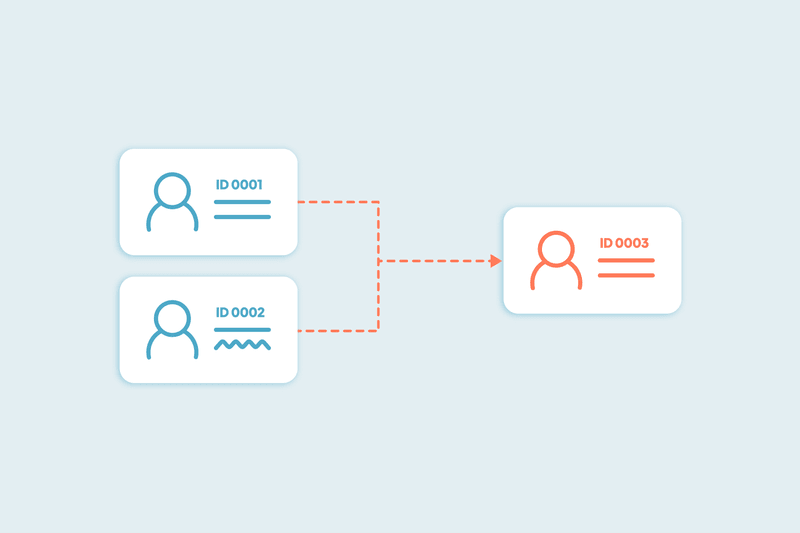
When you merge two duplicates in HubSpot, a new record is created. It does not reuse the ID of the primary or secondary record. Instead, the platform assigns a new internal ID to the merged result. This behavior is now consistent across all CRM object types:
- The merged record keeps timeline activity from both originals
- Property values from both records are merged, but the final values now prioritize those from the primary record
- If a property on the primary record is blank, HubSpot fills it using the value from the secondary record
- All associated records, such as deals, notes, and tickets, are combined into the new merged record
- For associations that include a “Primary” label (like company associations on contacts), HubSpot keeps the one from the primary record. If both had a “Primary” association, only the primary record’s version is retained.
Merges in Dedupely follow HubSpot’s internal logic and cannot be customized to preserve one of the original record IDs.
What happens to the ID
Every merge in HubSpot creates a new record ID. This applies whether the merge is done manually or through the API. The original IDs no longer belong to active records.
Inside HubSpot, using one of the original IDs in a search or API call will redirect to the merged record. This behavior is limited to HubSpot’s own tools.
If your integration or reporting tool uses stored contact IDs, it may continue referencing the old one. This is expected behavior and doesn’t affect your HubSpot setup. If something looks out of sync, try re-fetching the contact or company; that will return the new record and let your system update the ID on its side.
What continues to work in HubSpot
Most internal HubSpot tools continue to work as expected after a merge: Timeline activity is preserved, lists, views, and reports update automatically to reflect the new merged record, and associations stay intact.
One exception is workflow enrollment. When two records are merged, both originals are unenrolled from all workflows, and the new merged record will not enroll again unless the workflow is set up to allow re-enrollment from merges or from changes to relevant properties.
What Dedupely follows and respects
Dedupely uses HubSpot’s native merge functionality. It connects via API and does not modify how merges are processed. When you merge records through Dedupely, the same process described above applies.
Dedupely does not:
- Create new workflows
- Change your HubSpot field structure
- Interfere with your HubSpot setup
- Bypass HubSpot’s ID handling
Your data remains inside HubSpot, and the merge behavior stays the same.
What you control in Dedupely
While you cannot change how HubSpot assigns IDs, you can control everything else around the merge.
- Use merge rules to decide which field values win
- Use Duplicate Searches to define what counts as a duplicate
- Filter records by deal stage, lifecycle, or field value before merging
- Preview match results and adjust criteria before turning on automation
- Review merge history to trace what was merged, when, and which values were kept
These tools give you control over the outcome without affecting HubSpot’s structure.
What to expect going forward
Merges will always create new record IDs, that’s how HubSpot works. This won’t affect your internal CRM workflows, and Dedupely will not alter or complicate your setup.
If you’re using HubSpot contact ID in other systems, now is the time to rethink that connection. For internal processes, you can continue merging as needed with full transparency into what’s happening and why.
If you’d like help finding all duplicates and setting up merge rules that match your exact field logic, our team can walk you through it on a quick Zoom. We’ll work directly in your environment, using your data structure.



 Or sign up with Google
 Pipedrive Marketplace











