



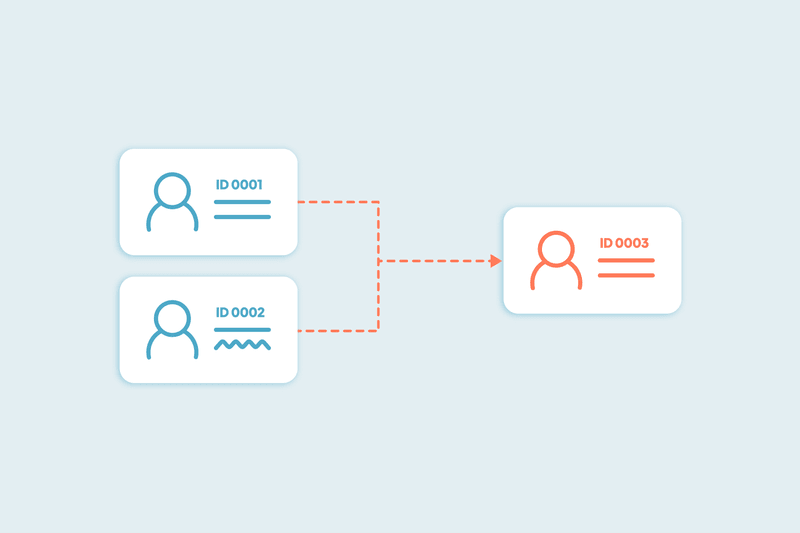
Merging company records in HubSpot introduces immediate operational risk. Because company merges permanently delete secondary record IDs, re-stitch activity timelines, and consolidate properties, an uncalculated merge can silently overwrite custom fields or alter primary deal associations. In fact, 40% of teams actively delay CRM cleanups out of fear of merging the wrong data, losing history, or breaking system associations.
Executing a bulk merge safely requires moving away from manual pair reviews and generic CSV exports, focusing instead on deterministic selection logic, field retention rules, and staged verification.
How to bulk merge HubSpot companies with Dedupely
- Choose the object
Open HubSpot in Dedupely and select Companies.
- Choose the visible fields:
Choose company identifiers such as domain, name, or phone. Use supporting fields to distinguish separate companies with similar names.
- Edit the match options per field:
Decide how thorough or lenient the matching should be. Click the arrow under each field name to switch between Exact, Similar, Fuzzy, Similar Words, or Domain Root.
- Set Merge Rules
Open Merge Rules and choose which record and field values win. Check ownership, contact details, and fields used by your workflows.
- Review the matches
Click Scan, then open View Match Details for the sets you plan to merge. Confirm they represent the same person or company and check the winning values. Leave uncertain matches unselected.
- Test a small merge
Merge a small reviewed sample. Check the surviving records, activities, and associations in your CRM before merging more. Stop and adjust the rules if the result differs from what you expected.
- Merge the reviewed sets
Select the duplicate sets you have reviewed and click Merge. Use Select all X matches only after checking the full result set.
Matching Beyond Exact Domains
Standard native deduplication relies heavily on exact domain matches (company.com = company.com). In practice, 25% of companies find that native deduplication tools miss duplicates due to minor formatting, punctuation, or spelling differences, while others lack domain values entirely. Finding these records requires going beyond basic exact-match filters.
Domain Root Matching
Stripping prefixes (www.), suffixes, and top-level domain variations (.com, .org, .co.uk) allows domain root matching to group regional branches and alternate web properties together. This brings non-exact domain matches to light for review before any automated merge happens.
Matching on Other Identifier Fields
When records lack domain values altogether, matching can run independently against other key properties. Adding fields like exact or fuzzy Company Names, Phone Numbers, Tax IDs, or custom internal IDs ensures orphaned duplicates are identified even without domain data.
Primary Record Selection Frameworks
Automating bulk deduplication requires clear merge results. Assigning primary status at random or relying solely on manual evaluation creates severe bottlenecks.
A structured primary record strategy relies on clear system logic:
- Oldest Record: Preserves original conversion sources, first-touch marketing attribution, and historical creation dates.
- Newest Record: Prioritizes accounts with recent rep activity and up-to-date sales communication.
- Last Updated Record: Connects primary status with records recently modified by integrated tools or manual data cleanup.
- Most Field Data: Selects the record holding the highest density of populated properties to minimize net field loss.
- Custom Field Logic: Allows admins to select any specific property on the record as the designated criteria for primary record selection.
Property Preservation and Conflict Resolution
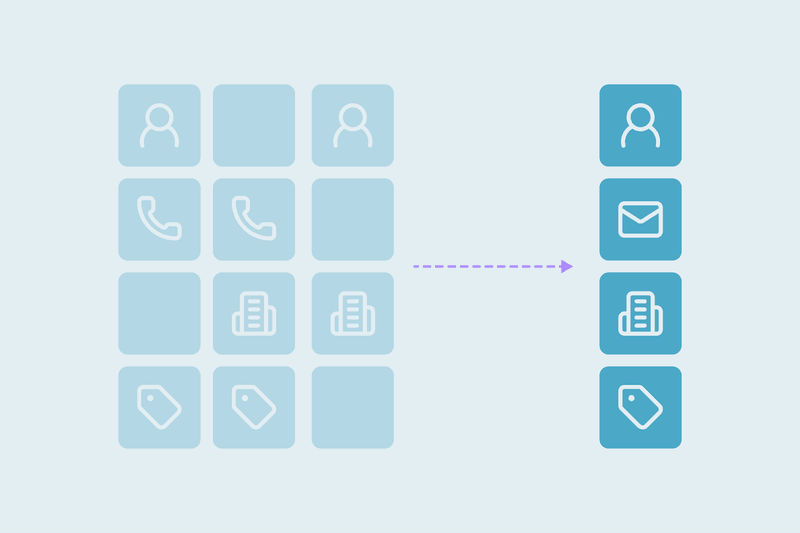
Data loss during bulk merges happens property by property. When two records have conflicting values, applying a single global rule across every field risks overwriting important account context.
Because every business treats data differently, property preservation is context-dependent. How you resolve conflicts should depend on how your team uses each specific field:
- Active Pipeline Fields: Properties like Account Owner, Lifecycle Stage, or deal status represent ongoing sales momentum. Conflict resolution should protect the value that reflects active business operations, regardless of which record is older.
- Descriptive & Contextual Fields: For fields like company descriptions, addresses, or internal notes, the right choice depends on the value itself. Teams evaluate these case by case, prioritizing whichever value offers cleaner formatting or better detail.
- System-of-Record Fields: For baseline metrics where historical consistency matters most, deferring to the primary record's value maintains consistency with existing reporting and attribution models.
Field-Level Previews
Exporting a CSV backup is often viewed as a fallback option when bulk merging, but spreadsheets only save static property values. Before applying changes across the CRM, admins should be able to set up field-level match options and define primary record merge rules so specific property values win based on custom criteria. Running a scan generates a field-level preview of how duplicate sets will merge. If a rule produces an unexpected result, the matching logic or field rules can be adjusted before updating any records.
Once field-level rules are set, testing the merge logic on an isolated sample of 50 duplicate record sets provides immediate validation. Reviewing those 50 merged records directly inside HubSpot's UI confirms that associated Contacts, Deals, Tickets, communication timelines, and custom fields preserved as intended before processing the remaining database.
Establishing merge rules for predictable outcomes protects historical account context during massive cleanups. By combining domain root matching with custom field preservation logic teams keep full control over data integrity.
Frequently Asked Questions
How do you prevent duplicate company records when contacts use regional or alternate domains (e.g., .org, .com.mx, .mx)?
HubSpot automatically creates a new company record whenever an incoming domain string doesn't match an existing primary domain exactly. You cannot block creation natively, but you can automate resolution: use Domain Root matching to strip country extensions and TLD variations post-creation, then apply primary record rules and let Auto Merge combine them into one primary record.
How should complex enterprise structures with separate brand domains be handled?
This depends entirely on your go-to-market structure:
- Account-Based Model (Single Account): Use Domain Root matching to strip domain prefixes/suffixes and merge regional records into a central primary account. This keeps all deal histories, communication timelines, and child contacts under one global company record.
- Entity-Based Model (Separate Subsidiaries): Keep domain matching restricted to exact regional variants so separate business units remain distinct entities, utilizing parent-child associations rather than merging them.
At what point does native HubSpot deduplication stop being effective?
Native tools encounter structural limits under five specific conditions:
- Connected web tools, or third-party integrations create duplicate records from scratch for existing customers instead of updating active profiles, bypassing native exact match rules.
- When 20, 30, or 40+ duplicate records exist for a single company entity, native interfaces require tedious record-by-record review passes rather than resolving the entire group in a single pass.
- High-volume databases quickly hit native tool display caps (showing between 2,000 and 10,000 matches depending on plan tier).
- Native rules miss records with alternate domain extensions or minor typos/formatting differences.
- Your dataset relies on custom fields that require conditional retention rules to prevent secondary fields from overwriting primary data.
Merging duplicate companies in HubSpot is what Dedupely is built for: domain root matching, primary record rules you set, and a field-level preview before a single record changes.
Start free, connect your CRM, and see the duplicates you have before you merge anything. Start here.



 Or sign up with Google
 HubSpot user











