Check a CSV against the Data Import Wizard before you run it.

Free for 10 runs a day.
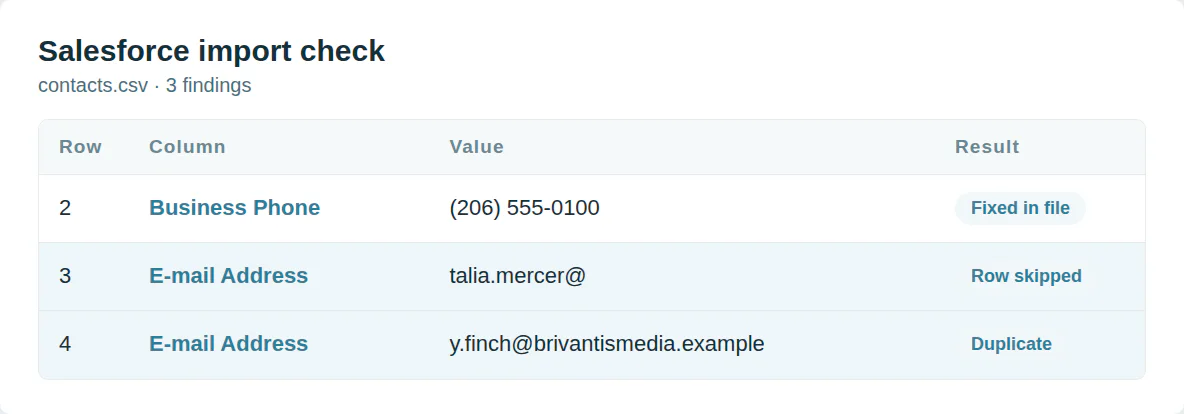
Rows the wizard rejects
A lead needs a last name and a company. An email the wizard cannot verify stops the record. So does a value past the field’s length.
This checker reads every row against those rules and fixes what it can.
Start from the fields Salesforce maps
Full Name next to First Name confuses the mapping. Checkboxes take 1 and 0. Dates must match your own locale.
The Salesforce templates use the field labels its import guide lists.
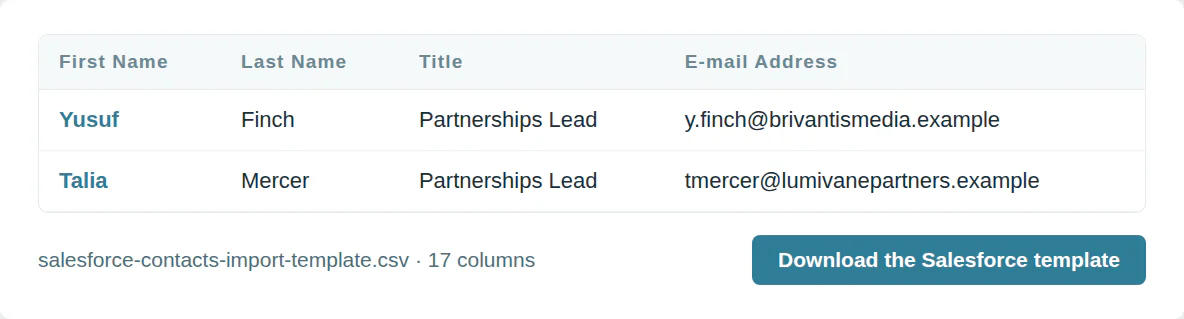
The Salesforce import template
Salesforce leads template
17 columns, in the order the template downloads.
| Column | What goes in it | Required |
|---|---|---|
| First Name | Text | |
| Last Name | Text | One of these |
| Title | Text | |
| Company | Text | Yes |
| An email address | ||
| Phone | Plus sign, country code and number | |
| Mobile Phone | Plus sign, country code and number | |
| Website | A web address | |
| Street 1 | Text | |
| City | Text | |
| State | Text | |
| Postal Code | Text | |
| Country | Text | |
| No. of Employees | A number, no currency signs | |
| Annual Revenue | A number, no currency signs | |
| Email Opt Out | Yes or no | |
| Record Owner | The user’s email |
Salesforce contacts template
17 columns, in the order the template downloads.
| Column | What goes in it | Required |
|---|---|---|
| First Name | Text | |
| Last Name | Text | One of these |
| Title | Text | |
| Department | Text | |
| E-mail Address | An email address | |
| Business Phone | Plus sign, country code and number | |
| Mobile Phone | Plus sign, country code and number | |
| Mailing Street 1 | Text | |
| Mailing City | Text | |
| Mailing State | Text | |
| Mailing Postal Code | Text | |
| Mailing Country | Text | |
| Birthdate | A date, year-month-day | |
| Account Name | Text | |
| Website | A web address | |
| Email Opt Out | Yes or no | |
| Record Owner | The user’s email |
Salesforce accounts template
13 columns, in the order the template downloads.
| Column | What goes in it | Required |
|---|---|---|
| Account Name | Text | Yes |
| Account Site | Text | |
| Account Phone | Plus sign, country code and number | |
| Industry | Text | |
| Employees | A number, no currency signs | |
| Revenue | A number, no currency signs | |
| Website | A web address | |
| Billing Street 1 | Text | |
| Billing City | Text | |
| Billing State | Text | |
| Billing Postal Code | Text | |
| Billing Country | Text | |
| Record Owner | The user’s email |
Use it from a script or an AI agent
MCP  https://dedupe.ly/tools/mcp   every free tool in one connector (this one: check_crm_import)

POST https://dedupe.ly/tools/api/import-checker
{ "crm": "salesforce", "csv": "..." }

Docs https://dedupe.ly/tools/api/openapi.jsonQuestions about Salesforce imports

Up to 50,000 records a file, 90 fields a record and 100 MB, in CSV only.
A lead needs Last Name and Company. A contact needs Last Name. An account needs Account Name.
The wizard reads dates in the format of your user locale. A file written day first imports the wrong way round under a US locale.
It matches on what you pick: Salesforce ID, name, email or an external ID. Pick None and every row becomes a new record.
Use 1 for checked and 0 for unchecked.
More free tools


Get started for free
20 free trial merges and as much free support as you need to get your duplicates under control.

 Or sign up with Google
A Grogan-Crane
HubSpot User
 HubSpot Marketplace
 Running CRM cleanup for clients? See the Partner Program











