Check a contacts file before the Nimble wizard refuses it.

Free for 10 runs a day.
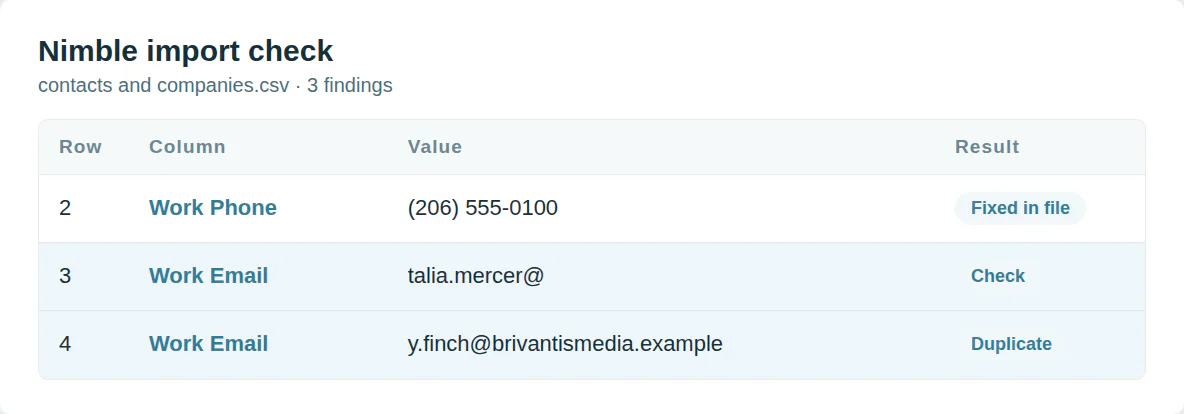
Files Nimble refuses
Nimble reads commas only. A blank row stops the upload. An email with no name or company is not imported.
This checker fixes the file so the wizard takes it.
Start from the columns Nimble maps
Addresses need headers like Work Address 1 - City. Domains go in without http or www. Tags go in Tag 1 and Tag 2.
The Nimble template uses the column names its wizard reads.
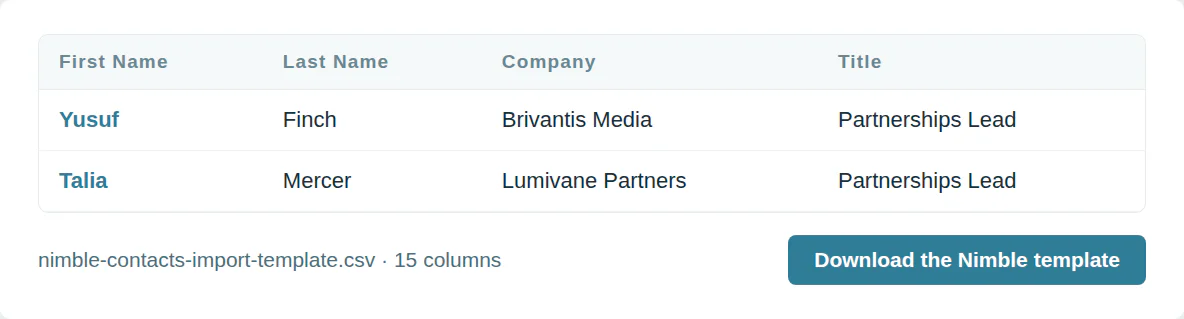
The Nimble import template
Nimble contacts and companies template
15 columns, in the order the template downloads.
| Column | What goes in it | Required |
|---|---|---|
| First Name | Text | One of these |
| Last Name | Text | One of these |
| Company | Text | One of these |
| Title | Text | |
| Work Email | An email address | |
| Work Phone | Plus sign, country code and number | |
| Mobile Phone | Plus sign, country code and number | |
| Work Address 1 - Street | Text | |
| Work Address 1 - City | Text | |
| Work Address 1 - State | Text | |
| Work Address 1 - Zip | Text | |
| Work Address 1 - Country | Text | |
| Domain | A domain such as example.com | |
| A web address | ||
| Tag 1 | Text |
Use it from a script or an AI agent
MCP  https://dedupe.ly/tools/mcp   every free tool in one connector (this one: check_crm_import)

POST https://dedupe.ly/tools/api/import-checker
{ "crm": "nimble", "csv": "..." }

Docs https://dedupe.ly/tools/api/openapi.jsonQuestions about Nimble imports

A comma-separated CSV with no blank rows or columns.
A first or last name, or a company. An email on its own is not imported.
Contacts merge on email, then on first and last name. Companies merge on domain, then email, then name.
No. Nimble does not undo imports, so check the file first.
Add columns named Tag 1, Tag 2 and so on.
More free tools


Get started for free
20 free trial merges and as much free support as you need to get your duplicates under control.

 Or sign up with Google
Wasmer D
HubSpot User
 HubSpot Marketplace
 Running CRM cleanup for clients? See the Partner Program











